Why does your iPhone restart by itself?
PhoneBox reads the panic log your iPhone wrote and tells you in plain words what failed, which part is most likely behind it, and how sure that is.
Answers you can check
Plain words first
The verdict comes in one sentence. The codes, the rule that matched and its public sources are one tap below.
Never a guess
Every answer says how sure it is, and a log that matches no rule is reported as unknown.
Your logs stay with you
Every log is read on the device. Your logs and photos never leave your iPhone, and there is no account.
Find out why it restarts.
When an iPhone restarts by itself, iOS writes a panic log. Its useful line is buried, its sensor names are codes, and the same code means a different part on another model. PhoneBox reads the whole log for the model that wrote it.
- The verdict in one sentence, with the part most likely behind it
- Why the log points there, and what to check next
- Only have a code? Search it on its own
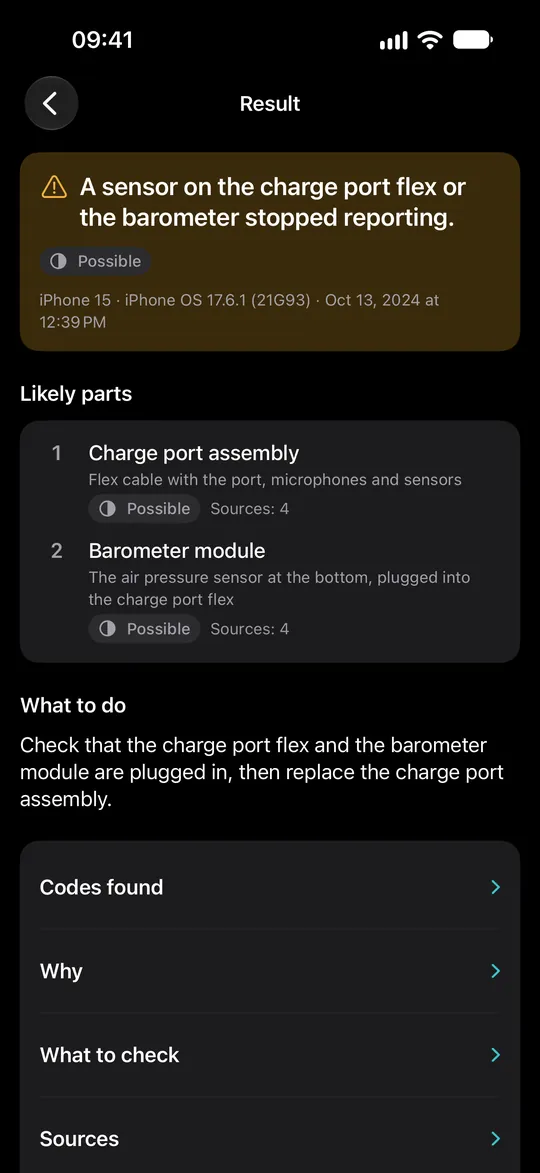
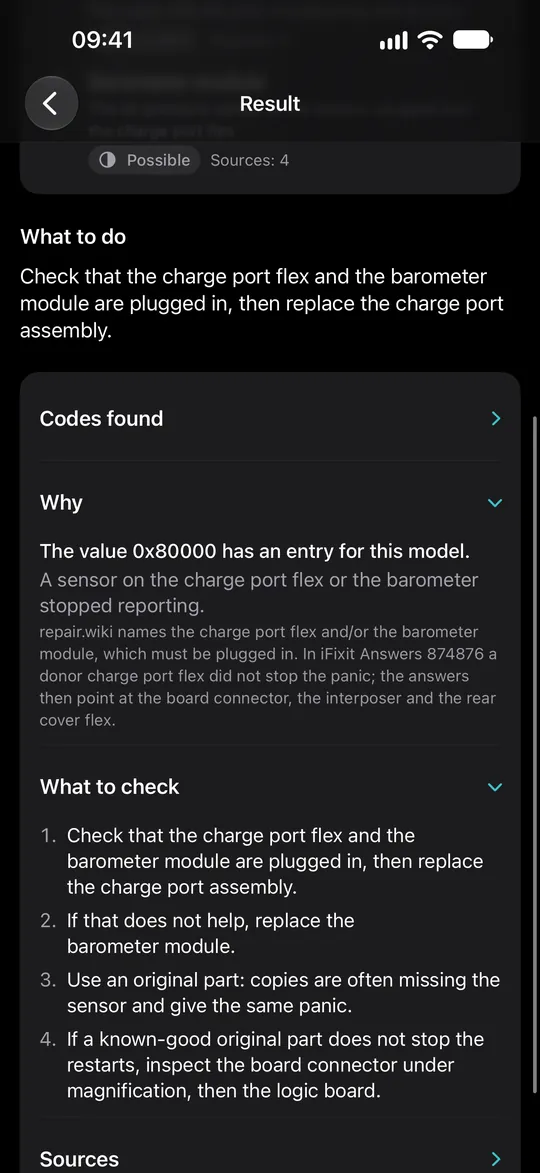
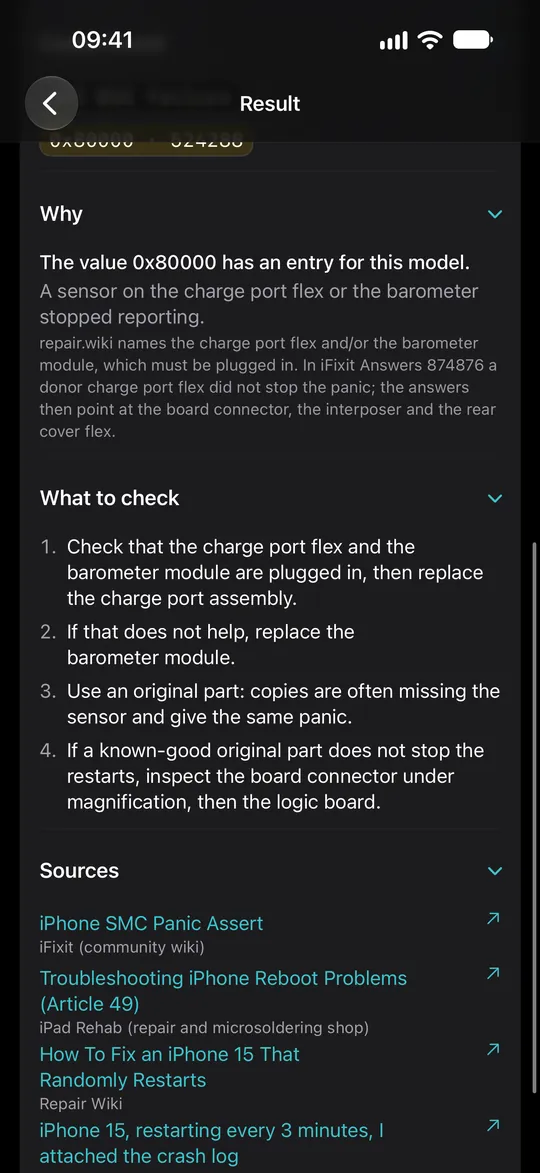
Codes, rule, sources. One tap below.
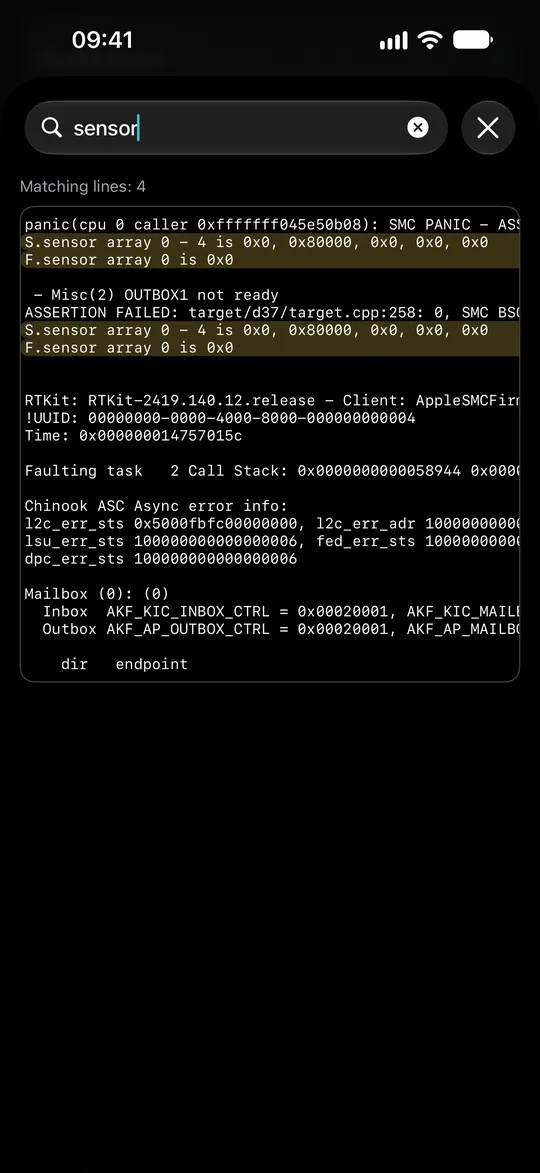
Repair technicians get everything behind the answer: the codes found in the log, the rule that matched with its public sources, and the raw log itself.
- The deciding line of the log, highlighted
- Every rule names where it comes from
- Search and export the raw log with Premium
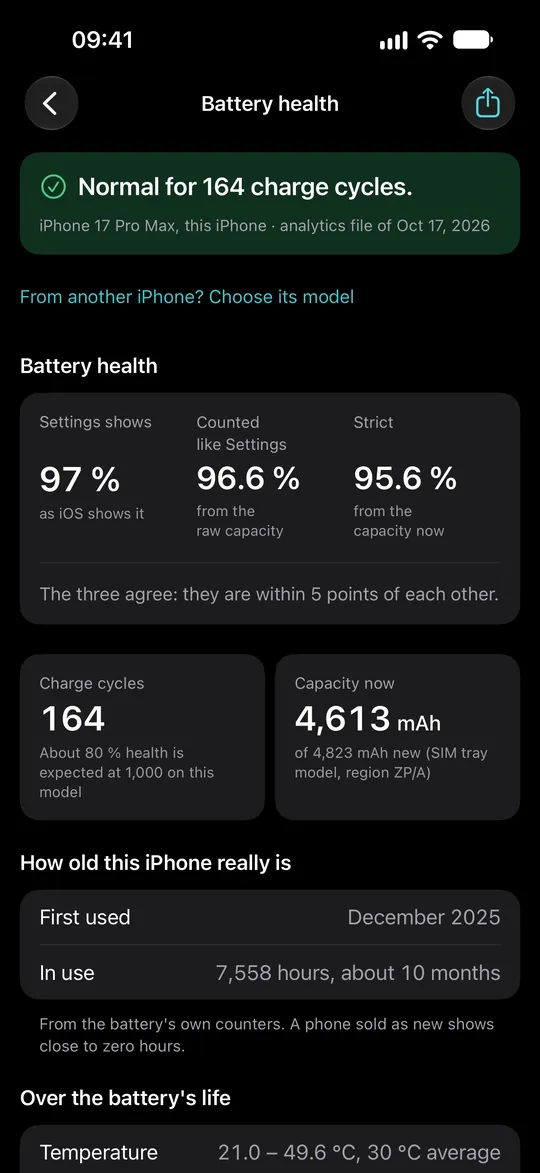
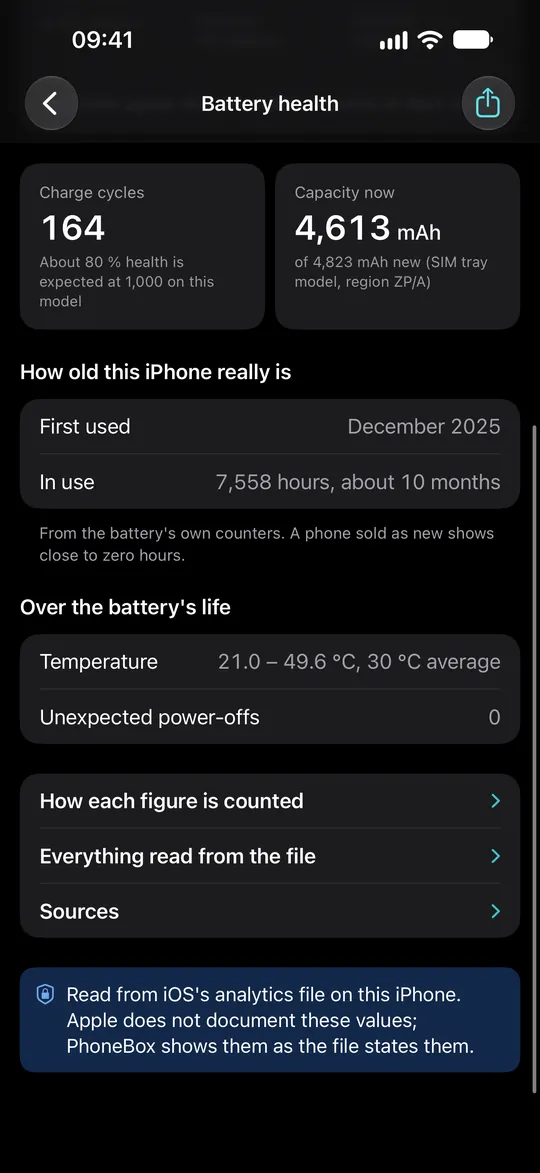
The figure behind Maximum Capacity.
Settings shows one rounded number. PhoneBox opens your iPhone's analytics file and puts the health iOS shows next to the health worked out from the battery's own capacity figures.
- Health as iOS shows it, and as the battery's figures say
- Cycle count and capacity now, in mAh
- Whether the two agree, and whether they are normal for the battery's age
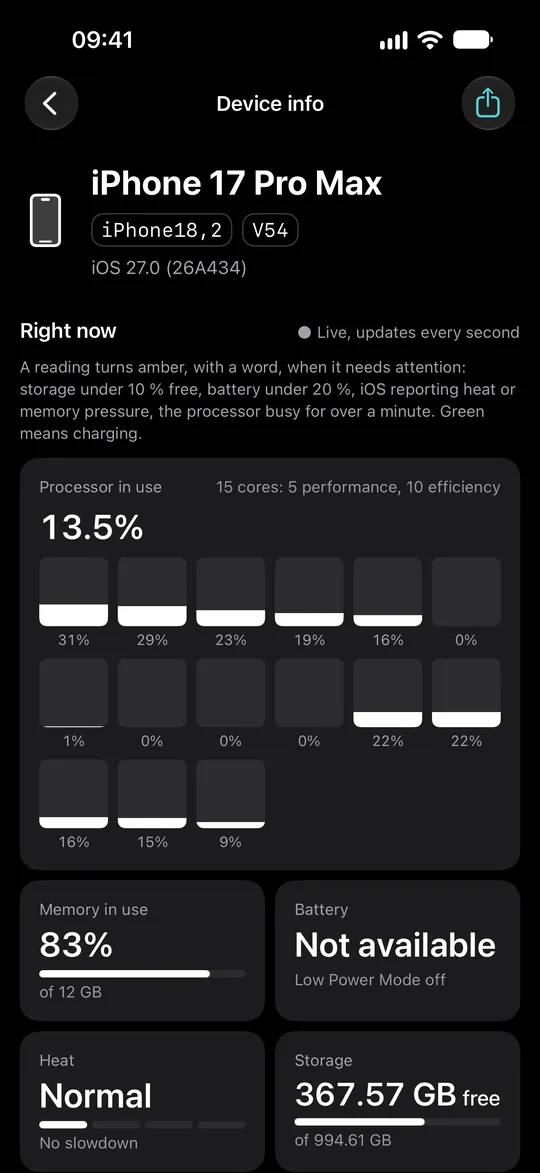
What this iPhone says about itself.
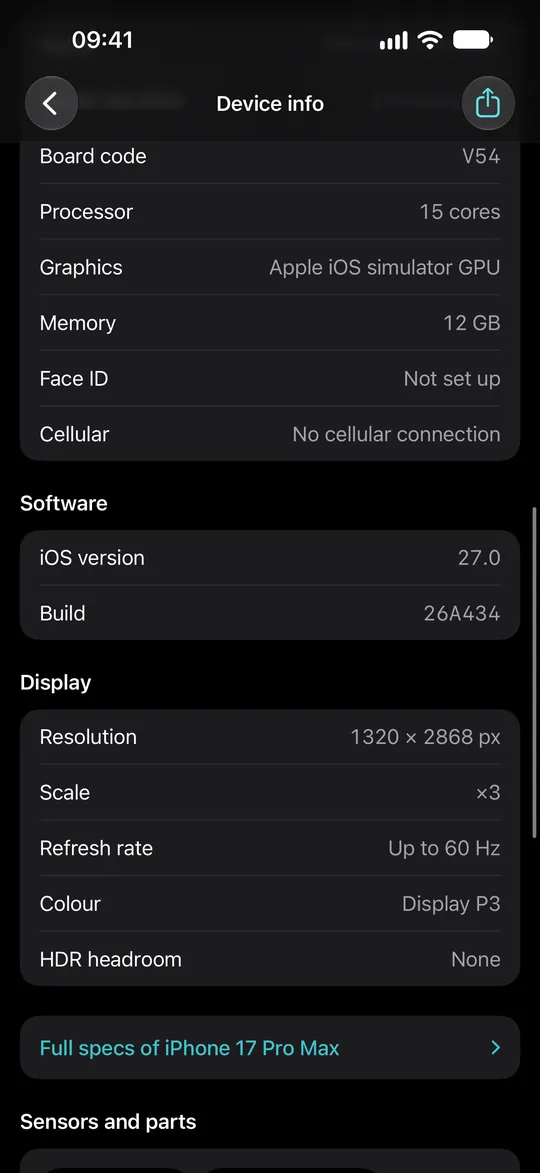
The exact model behind the marketing name, the iOS it runs, its storage and memory, with live readings that help a diagnosis.
- Model identifier and board code
- Processor, memory, heat and storage, live
- Everything apps cannot read, said plainly
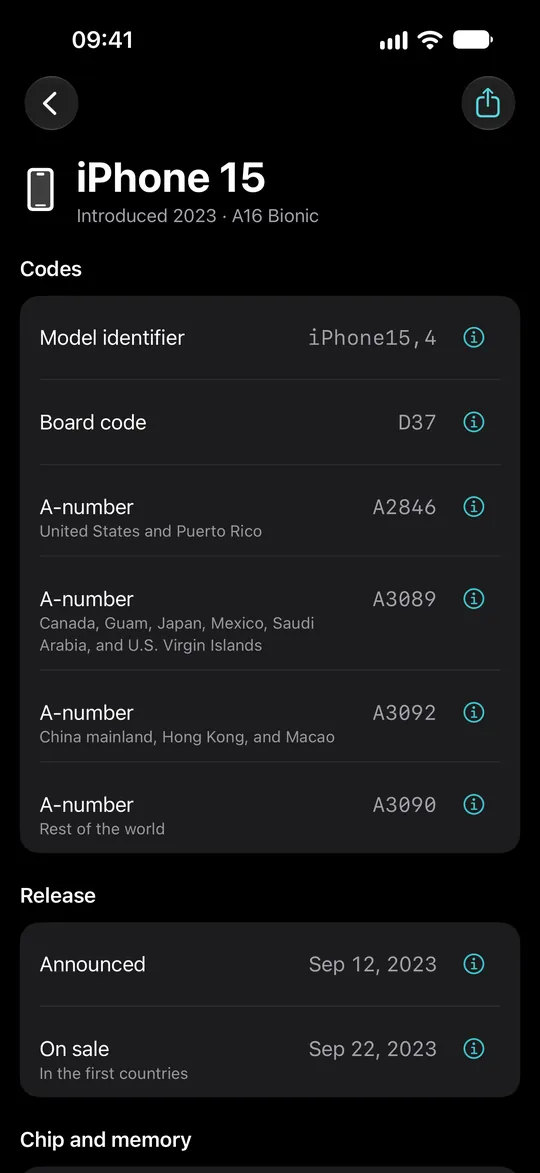
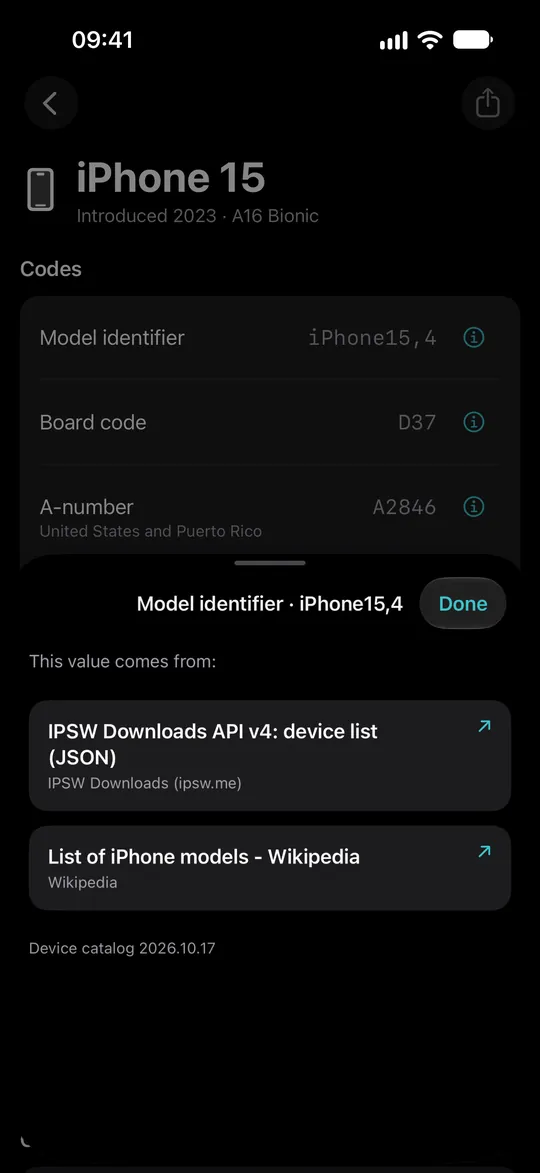
Any iPhone's specs, from any code.
Type what you have in hand: a name, a model identifier from a log, a board code from a panic, the A-number or the part number from Settings.
- Every iPhone from iPhone X on
- Every value comes with its source
- A part number tells how and where the phone was sold
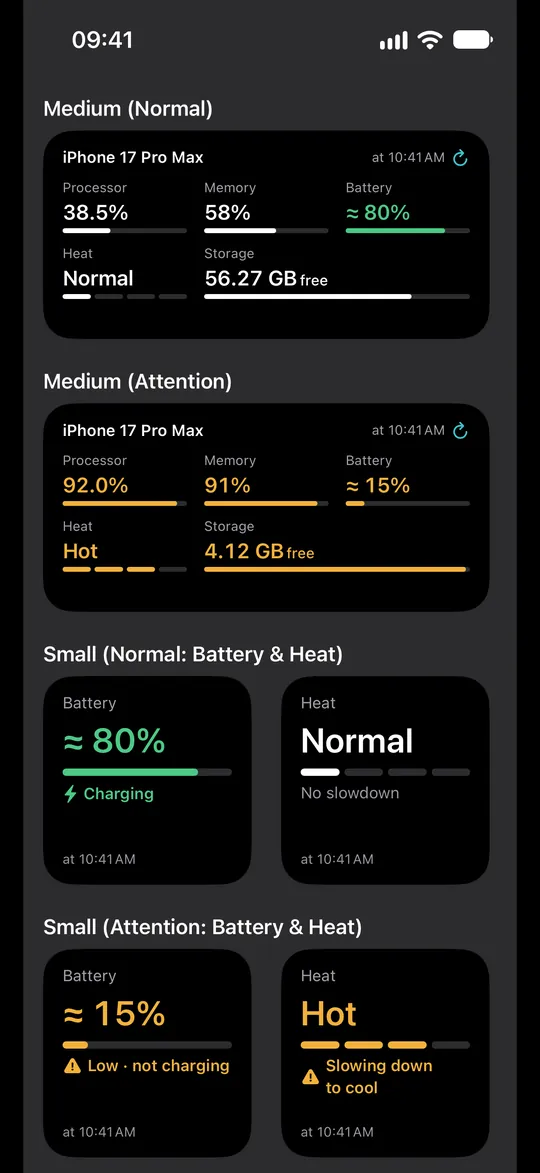
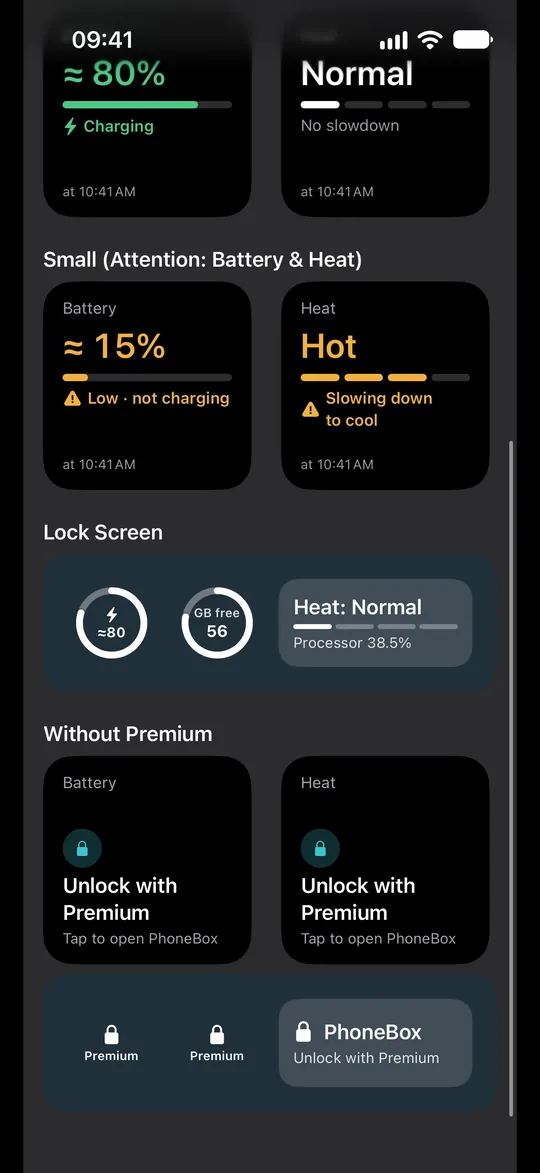
Your iPhone's readings on the Home Screen.
Storage, battery, memory, heat and processor at a glance, read again with a tap.
- The This iPhone widget is free
- One-reading and Lock Screen widgets with Premium
- Home Screen and Lock Screen sizes
Where your iPhone keeps its panic logs
Open Analytics Data
Settings › Privacy & Security › Analytics & Improvements › Analytics Data.
Find the panic log
Its name starts with panic-full and carries the date your iPhone restarted.
Share it to PhoneBox
Tap Share, then PhoneBox. Or copy its text and tap Paste in PhoneBox.
No panic-full file in the list? Then iOS has not recorded a panic since its logs were last cleared. Read the full guide →
Every diagnosis is free
Free, with light ads
- Panic analyzer: the verdict, the likely part, the matched rule and its sources
- Battery health from the analytics file
- Device info and Device specs
- The This iPhone widget
Premium, one purchase
- No ads
- Raw-log search and export
- One-reading and Lock Screen widgets
- Every tool added later for owners and buyers
Ads never stand between you and a diagnosis. The price is shown in the App Store in your currency.
Questions
Does PhoneBox fix my iPhone?
No. It reads the log and tells you what it points at and how sure that is, so you know what to check or what to tell a repair shop.
Where do I find the panic log?
In Settings › Privacy & Security › Analytics & Improvements › Analytics Data, in a file whose name starts with panic-full. PhoneBox has a step-by-step guide.
Does it upload my logs?
No. Every log is read on your iPhone, and your logs and photos never leave it. The app shows ads and uses Firebase to count which screens are used and to report crashes; nothing from a log or a result is sent.
What if PhoneBox does not know my log?
It says so. A log that matches no rule is reported as unknown, never guessed, with the codes it found.
Which iPhones does it work on?
PhoneBox runs on iOS 17 or later. Device specs covers every iPhone from iPhone X on.

Know why it restarts.
Free on the App Store. Your logs never leave your iPhone.
Download on theApp Store